TinyS Pro® – User InstructionsUpdated a day ago
How to insert the earbuds correctly
We recommend placing the earbud in your ear by first gently positioning it in your ear canal, then pushing it slightly into place, and finally twisting it into the inner part of your ear as shown in the picture. This helps the earbud sit more securely, feel more comfortable, and allows the sound quality and noise-cancelling function to work as well as possible.
Also remember to try different sizes of ear tips — the right size makes the earbuds more comfortable to wear and helps them stay better in your ears.

Does it feel like you’re taking calls from the bottom of a well?
To make sure your call quality is as good as it should be, try this:
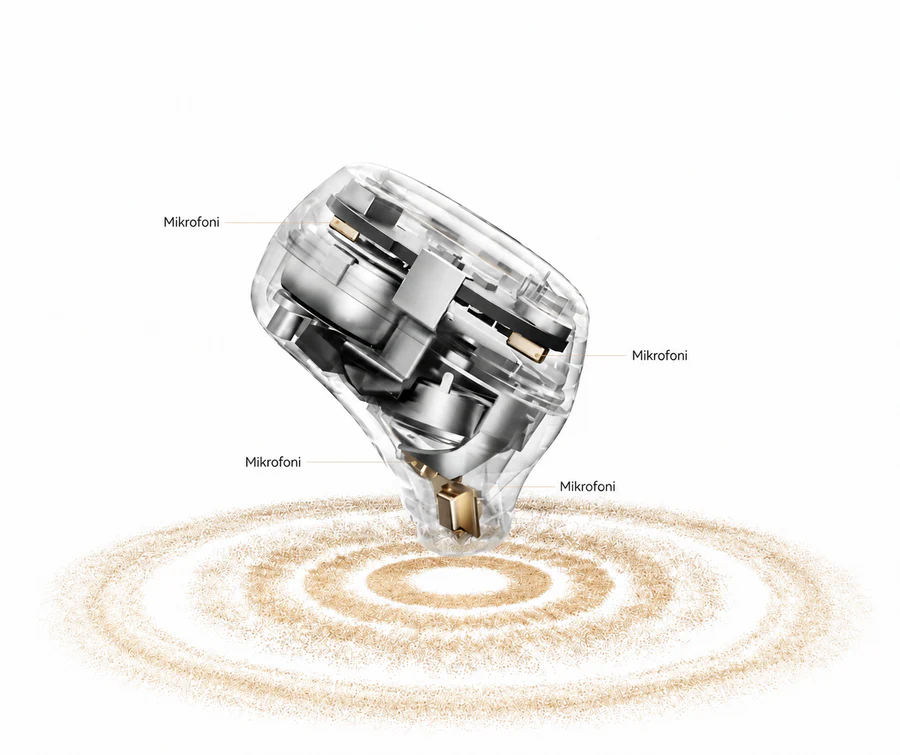
If the front microphone gets tucked under the small fold at the front of your ear, your call audio may sound like you’re speaking from a well.
So wear the earbud so that the microphone stays free on the outside of your ear — that way your voice comes through clearly. In other words, don’t push the earbud too deep into your ear so that the microphones get covered.
The microphone wants to hear you, not the interior of your ear.
Pairing the earbuds
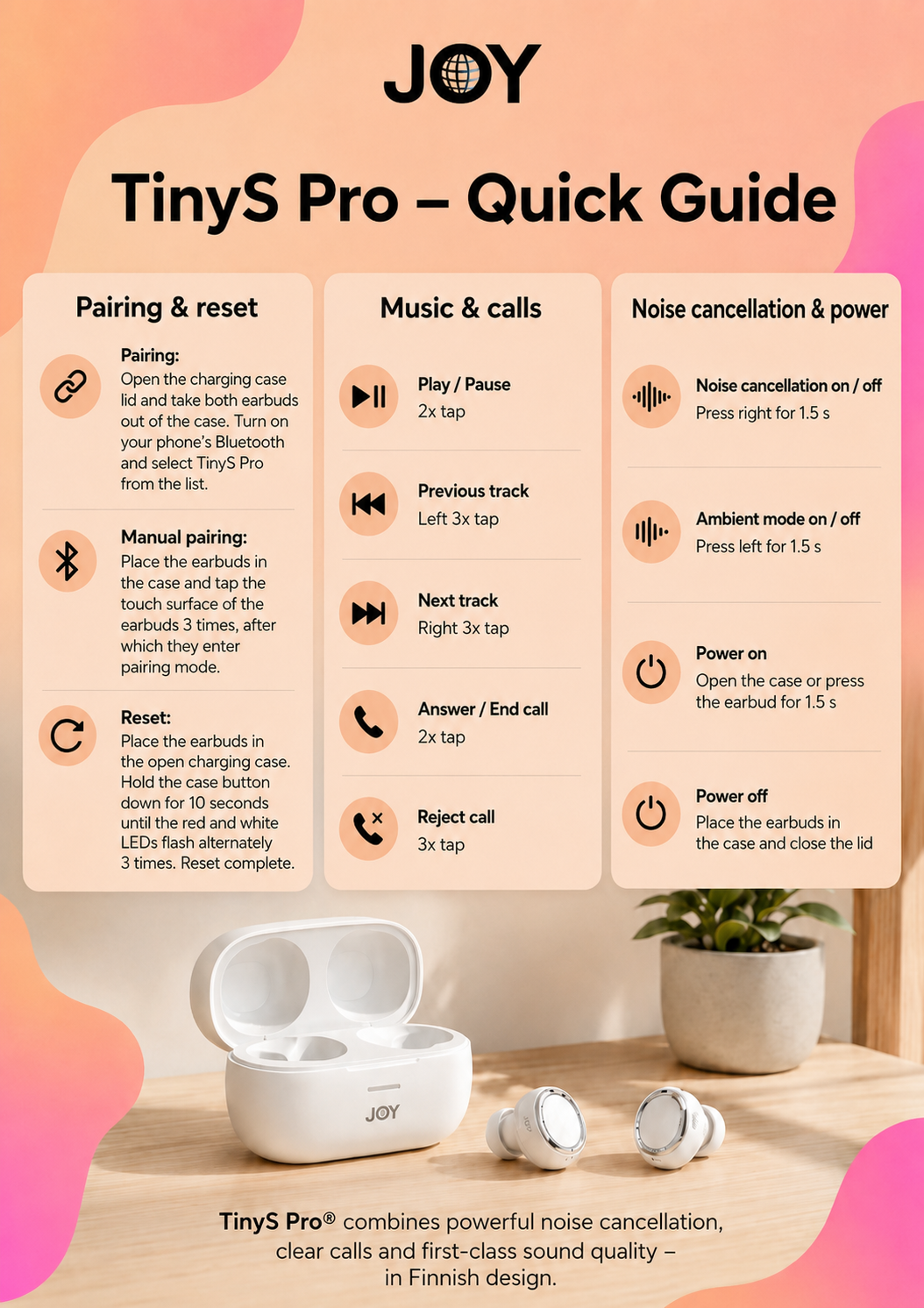
Open the charging case lid and take both earbuds out of the case.
Turn on Bluetooth on your phone and open the list of Bluetooth devices in your phone’s settings.
Find TinyS Pro on the list and select it to connect the earbuds to your phone.
Manual pairing
Place the earbuds back into the charging case.
Tap the touch surface of the earbuds three times in a row, after which the earbuds will enter pairing mode.
Reset
Place both earbuds into the charging case, close and open the lid (keep the lid open during the process). Press the button next to the case's charging port for about ten seconds or until the case's lights start to flash in white color. The flashing indicates that the reset has been successful.
Power on and power off
The earbuds turn on automatically when you open the charging case lid while the earbuds are inside the case.
The earbuds turn off automatically when you place them back into the case and close the lid.
If the earbuds are outside the case and powered off, you can turn them on by pressing the touch surface of the earbud for about 1.5 seconds.
Music control and calls
You can pause or resume music playback by tapping the left or right earbud twice.
- To go to the previous track, quickly tap the left earbud three times in a row.
- To go to the next track, quickly tap the right earbud three times in a row.
- You can end a call by quickly tapping the left or right earbud twice.
- You can reject an incoming call by quickly tapping the left or right earbud three times in a row.
Volume control
You can adjust the volume by swiping down on the earbud:
Volume down: swipe down on the left earbud.
Volume up: swipe down on the right earbud.
One swipe changes the volume by one level.
Noise cancelling and voice assistant
You can turn noise cancelling on and off by pressing the touch surface of the right earbud for about 1.5 seconds.
You can turn the voice assistant on and off by pressing the touch surface of the left earbud for about 1.5 seconds.
Charging Case Battery Indicator Lights While Charging
When the charging case is connected to a USB charger, the lights indicate the battery level of the charging case:
Three white LED lights are on
The battery level is at least 90%.
The first two white LED lights are on and the third one flashes slowly
The battery level is 60–89%.
The first white LED light is on and the second & third one flash slowly
The battery level is 30–59%.
Three white LED lights flash slowly
The battery level is 6–29%.
The first red LED light flashes slowly
The battery level is 5% or below.
Charging Case Battery Indicator Lights When Opening/Closing the Lid or Pressing the Charging Case Button
When you open or close the charging case lid, or press the button on the charging case, the lights indicate the battery level of the charging case:
Three white LED lights flash
The battery level is 61–100%.
The first two white LED lights flash
The battery level is 31–60%.
The first white LED light flashes slowly
The battery level is 5–30%.
The first red LED light flashes slowly
The battery level is 5% or below.
Earbud Battery Indicator Lights When Placing the Earbuds Into the case or Removing Them From the Case
When you place the earbuds into the charging case or remove them from the case, the case light indicates the battery level of that earbud:
The white LED light flashes
The earbud battery level is at least 30%.
The red LED light flashes
The earbud battery level is 5–29%.
The red LED light flashes three times
The earbud battery level is 5% or below.